Overlays
An overlay keeps Godot content on a map through every rebuild: a vending machine with its own script, a particle effect tuned in Godot, a lamp with an AnimationPlayer.
Adding one
Add a GodotTrenchOverlay node as a direct child of the FuncGodotMap and put your nodes under it. Builds, Clear Map,
rebuilds on save, live mode and hot reload all skip it, so its nodes stay the same instances with the same signals and
state, and are saved with your scene.
For a single node, a direct child of the map in the godottrench_keep group survives builds too.
An overlay elsewhere in the scene can point at its map with Map Path instead, and then follows the map's transform.
Positions
Overlay content uses the map's local space in meters. At 32 units per meter, a child at (2, 0, -3) sits where
GodotTrench shows (64, 0, -96). The overlay itself stays at the map origin, so moving the map moves everything on it.
What the level designer sees
The editor cannot show Godot nodes, so the overlay describes itself. When the map is built in the Godot editor and when
the scene is saved, it writes a sidecar next to the map, night_district.overlay.json for night_district.gtm, with the
name, bounds and targetnames of each direct child.
GodotTrench draws each child as a dashed blue ghost box with its name, so nobody builds a wall through the breaker box. View > Godot Overlays hides them. Overlay targetnames count as real targets in the Issues panel and the output editor. Turn off Share With Editor on the overlay to leave it out of the sidecar.
Example
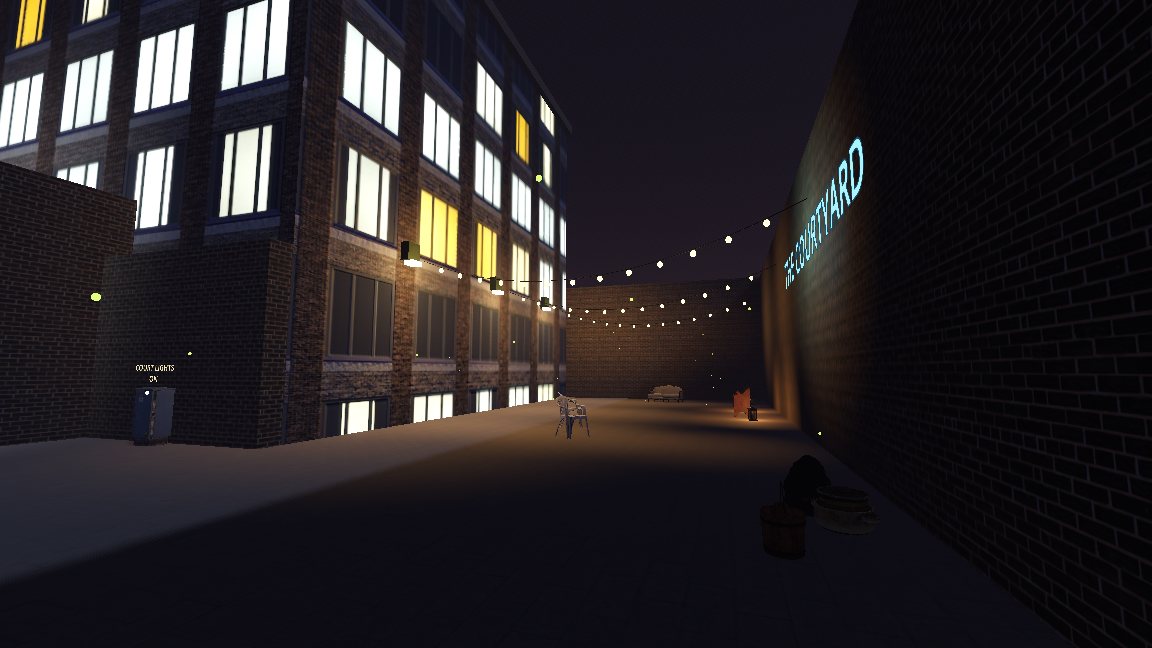
godot/demo/overlays/night_district_overlay.tscn has a breaker box that switches the courtyard lamps, string lights and
fireflies that a map trigger turns on, steam from a manhole, and a sign riding the garage roller door. To connect your
own overlay nodes to the map, see Wiring overlays.