Sea island 3: painting
Switch to the Blend tool with Shift+G, with the terrain or nothing selected. Its settings are in the tool options. A radius of 12000 covers the whole island, so one click with a height or slope mask paints every shore or cliff at once.
Sand and rock
| Setting | Sand | Rock |
|---|---|---|
| Mode | height, from -3000 to 40 |
slope, from 32 to 90 |
| Falloff | constant | constant |
| Layer | 3 | 1 |
| Radius, strength | 12000, 1 | 12000, 1 |
Click once in the middle of the island for each.
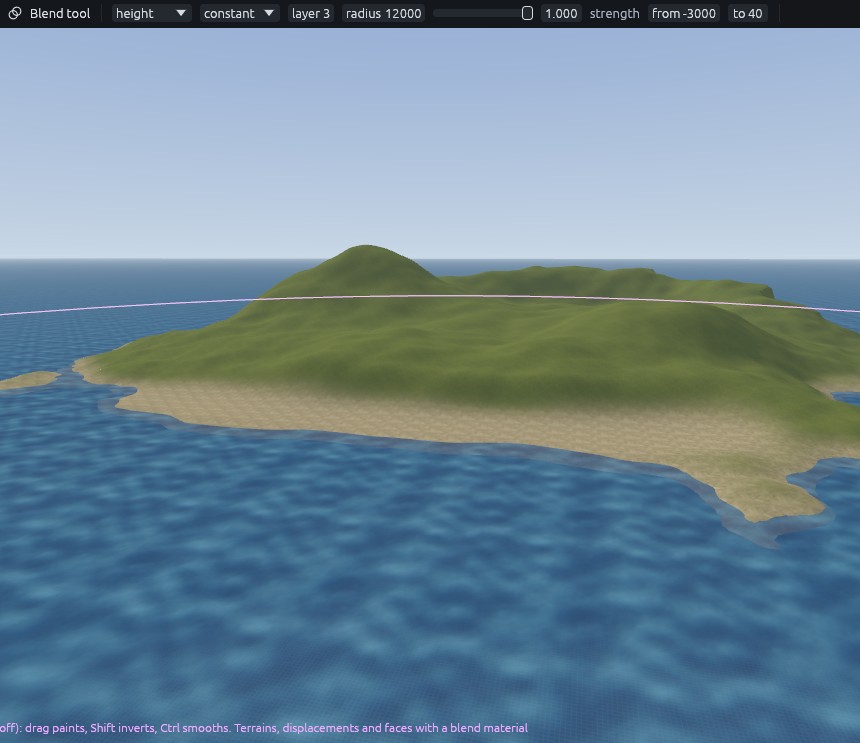
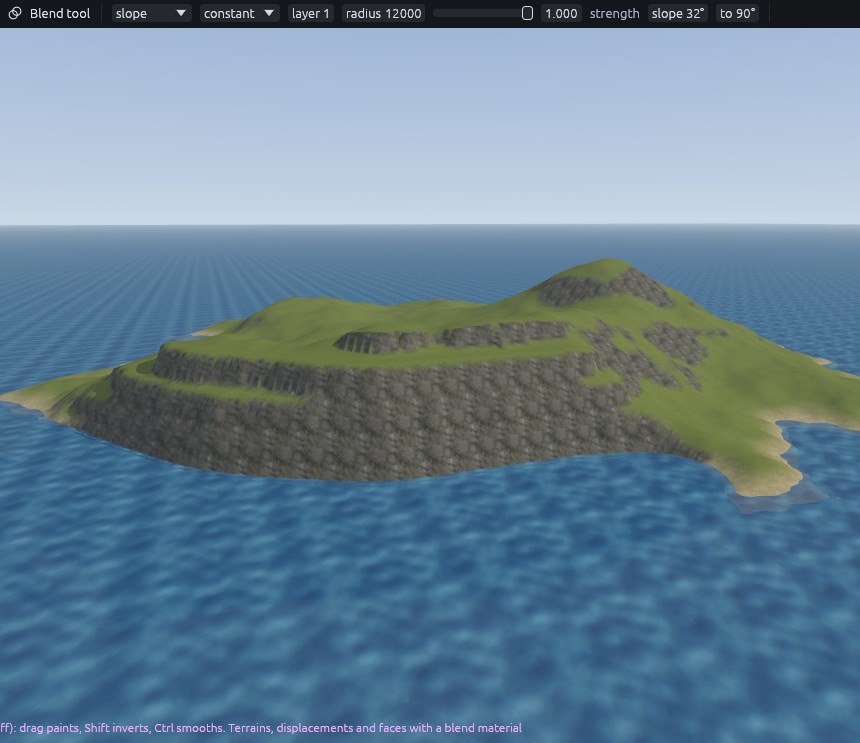
The terraced faces turn to rock while their shelves stay green, which is what makes them read as cliffs. To widen the beach, paint layer 3 along the south shore in paint mode, falloff smooth, radius 700, strength 0.7.
Paths
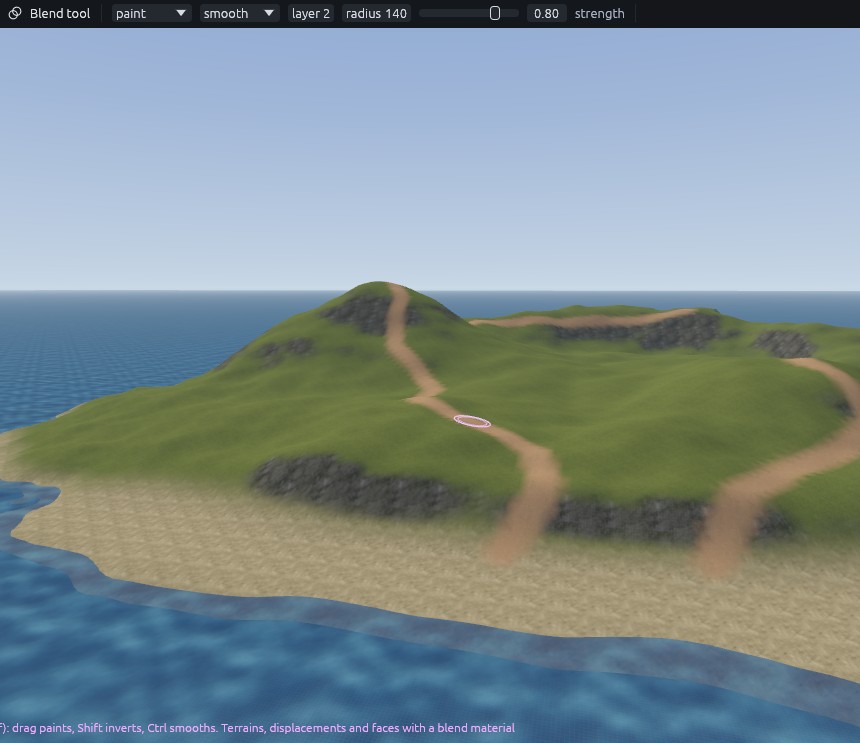
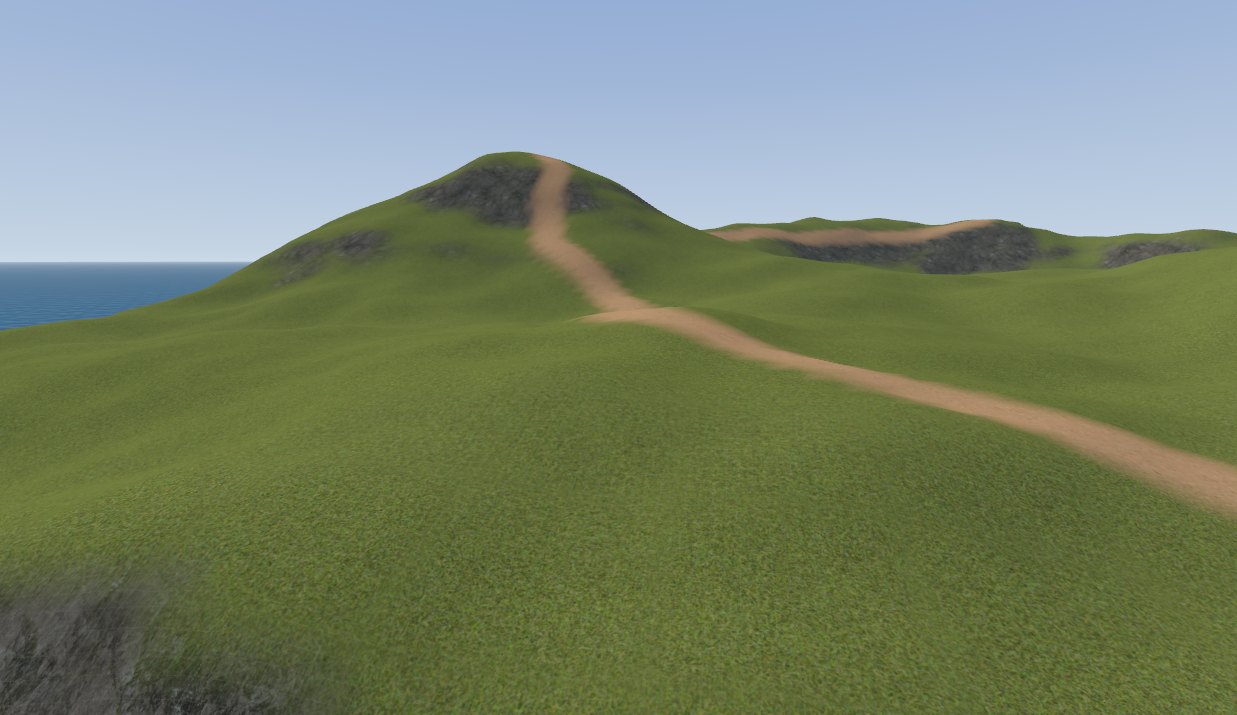
Mode paint, falloff smooth, layer 2, radius 140, strength 0.8. Drag:
- From the top of the beach up to the main hill in long curves.
- From the main hilltop along the ridge to the cliff top.
- From the east end of the beach to the second hill.
Break up the repeat
Select the terrain and set each layer's detile in the Inspector. Detile turns and shifts every tile of the texture so large areas do not show a grid, and sharpen keeps the result crisp.
| Layer | Detile | Sharpen |
|---|---|---|
| 0 grass | 0.5 | 0.5 |
| 1 cliff | 0.7 | 0.4 |
| 2 dirt | 0.5 | 0.5 |
| 3 sand | 0.4 | 0.5 |
Next: Sea island 4: scatter.