Converting textures
Godot cannot load .vtf, .wad or .wal files, so the editor turns them into PNGs, plus a .tres where a plain
image cannot carry the settings. Each one lands in the project's texture folder under the face's material name, so the
imported faces find it straight away.
Importing a map offers this for the textures it uses, see Importing Hammer and TrenchBroom maps. To convert a whole folder, open the Godot project first, then:
-
Open the converter
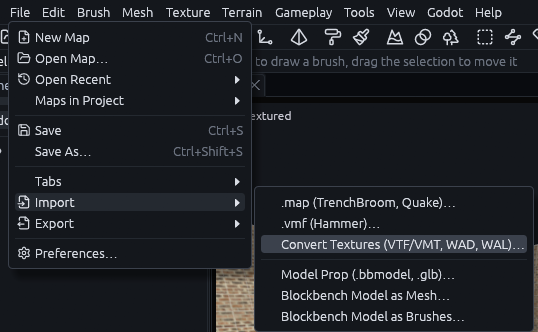
Go to File > Import > Convert Textures (VTF/VMT, WAD, WAL)….
-
Pick the folder
Pick the folder with the
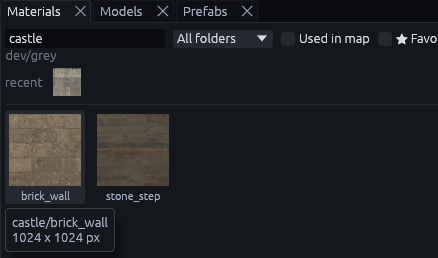
.vmtand.vtf,.wador.walfiles. If the open map lacks some of them, the editor asks whether to convert only The map's or All.The status bar should then say how many were converted, like "Textures: 12 converted", and they show up in the Materials tab under their material names.
Where they are found
The editor searches the usual places each game keeps its textures, so a map copied along with its game folders finds them without any setup.
| Source | Looked for | Named after |
|---|---|---|
Valve .vmt and .vtf |
a materials folder next to the map or up to four folders up |
the path below materials, like brick/brickwall001a |
Quake and Half-Life .wad |
the worldspawn wad key, then the same file name in nearby folders |
the texture name, like {grate |
Quake 2 .wal |
a textures folder nearby |
the path below textures, like e1u1/floor1_1 |
Loose .png, .jpg, .tga |
a textures folder nearby, as Qodot and FuncGodot projects ship them |
the path below textures, copied as they are |
Valve materials
A Valve .vmt file describes a material as a list of parameters. These carry over to the Godot material, the rest is
left out:
| Valve material | Godot material |
|---|---|
$basetexture |
albedo, its alpha dropped unless the material is see through |
$bumpmap, or $normalmap on water |
normal map, green flipped from DirectX to Godot |
$translucent, $additive |
alpha blend for $translucent, additive blend for $additive |
$alphatest, $alphatestreference |
alpha scissor at that threshold, 0.5 by default |
$selfillum, $selfillummask |
a glowing emission texture, masked by the base texture's alpha or by the mask |
$nocull, UnlitGeneric |
double sided for $nocull, unshaded for UnlitGeneric |
$color |
albedo color |
$surfaceprop |
metadata/surfaceprop on the material |
patch with include |
a patch reuses another material with a few changes, so it becomes the included material with its insert and replace changes applied |
Quake textures
Textures starting with { are cut out with alpha scissor, skies are unshaded, and *water is saved as water.
Animated textures, including multi frame VTFs, keep their first frame.
Skies
Converting a map's textures also sets its sky, so the imported map gets a sky close to its original. This is skipped
when the map already has sky_top_color.
A Source map with its skyname skybox in materials/skybox gets a panorama, skybox/<skyname>_panorama.png in the
texture folder, set as sky_panorama. Other maps get sky_top_color and sky_horizon_color from the texture in
sky_source. When the scene has no WorldEnvironment of its own (the Godot node that holds a scene's sky, fog and
ambient light), TrenchDotEnvironment builds one from these keys.
VTF formats
The converter reads VTF versions 7.0 to 7.5 in these pixel formats: DXT1 (with one bit alpha), DXT3, DXT5, the 8 bit RGB and RGBA orders, I8, IA88, A8, RGB565, BGR565, BGRA4444, BGRA5551, BGRX5551, UV88, UVWQ8888, UVLX8888 and the 16 bit RGBA formats. Other formats, and VTF 7.6, are refused with the format named, so you know which file to convert by hand.
MCP
Over the MCP server, convert a folder of textures with map_file {op: convert_textures, path}. Add
only_missing to convert only what the open map lacks, and overwrite to replace files already in the project.