Random fill
Brush > Random Fill… covers a grid of cells with pieces from the prefab library, picking each cell's piece by weight. Build a small kit of pieces, like an office room, a hallway, a pillar grid and an open floor, and the fill lays out a whole floor plan from them. Every seed gives a different plan, and the same seed always gives the same one.
-
Build your pieces
Build each piece one cell wide (128 units by default), centered on the origin. Keep walls off the cell's border, so pieces next to each other always connect.
Then add it to the library: select it, open Add the selection at the top of the Prefabs tab, tick Keep position, give it a name and click Add (see Your own pieces).

-
Open the dialog
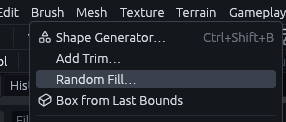
Go to Brush > Random Fill….
-
Add the pieces
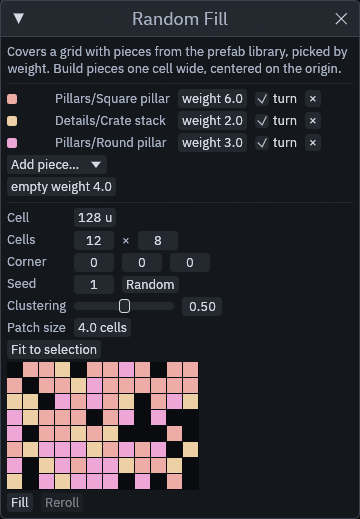
Pick each piece from Add piece… and give it a weight: a piece with weight 6 fills about twice as many cells as one with weight 3. turn lets a piece turn by a random multiple of 90 degrees.
-
(Optionally) Leave some cells open
empty weight works like a piece that places nothing.
-
Place the grid
Select the floor and click Fit to selection, or set the Cell size, the number of Cells and the Corner yourself.
-
(Optionally) Cluster the pieces
Clustering gathers each piece into patches of about Patch size cells, so a wing of offices sits next to a hall of pillars instead of everything being evenly mixed.
-
Fill it
The colored grid previews the layout, one color per piece. Click Fill, and Reroll replaces the last fill with the next seed.
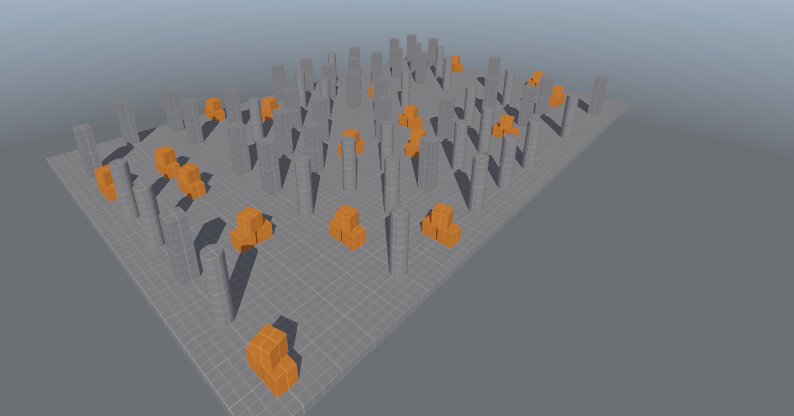
The fill is one group of plain copies, so it bakes and builds like anything you place by hand, and you can edit any
cell afterwards. Each copy's entity names get their own prefix, rf<seed>_<n>-, so a piece with wired entities, like a
lamp that flickers on a timer, works on its own in every cell.
Tip
Fill different kinds of detail in separate passes over the same grid, for example one fill for the walls and one for the ceiling lights, with their own weights, such as a few dead or flickering lights among working ones.
MCP
The random_fill tool takes pieces as [{name, weight, rotate}], empty, min, cell, cells, seed,
cluster and cluster_size. preview: true only returns the layout as a sketch, replace removes an earlier fill
first.