Custom entities in GDScript
Any script can be an entity. Declare a signal for each output and a method for each input, then emit the
signal when the thing happens. This alarm has one output, tripped, and two inputs, trip and disarm:
@tool
class_name Alarm extends Node3D

signal tripped(activator: Node)

@export var armed := true

func _func_godot_apply_properties(props: Dictionary) -> void:
    armed = TrenchDotIO.to_bool(props.get("armed", armed))

func trip(activator: Node = null) -> void:
    if armed:
        tripped.emit(activator)

func disarm() -> void:
    armed = false
Make the activator the first Node argument of your signals, so chains further down still know who started them.
Map keys arrive in _func_godot_apply_properties. Read them through TrenchDotIO.to_bool, to_vector3 and
to_color, which accept both text and already converted values. Nodes you add there are saved with the scene. Nodes you
add in _ready are not, they are made again each time the scene loads, which suits what only the running game needs.
For an entity with a Scene File, Godot saves the nodes that come from that scene as the scene file holds them, so
changes you make to them there are lost. Nodes you add are still saved, and changes to the scene's own nodes belong in
_ready.
The script needs @tool, because maps are built in the Godot editor, where only tool scripts run their methods.
Making it placeable
The editor and Godot learn about entity classes from your project's FGD, the list of entity definitions. Each definition is a resource of its own, and the kind you pick decides what Godot builds:
| Your entity | Definition | What to set |
|---|---|---|
| A point entity, at one spot, like a lamp or a pickup | FuncGodotFGDPointClass |
Script Class to your script. To spawn a scene instead, set Scene File, a Script Class then replaces the script of the scene's root |
| A brush entity, built from brushes, like a door or a trigger | FuncGodotFGDSolidClass |
Script Class to your script, and Node Class to the body it extends: StaticBody3D, AnimatableBody3D or Area3D. Left empty, Godot builds the body the script extends, or a StaticBody3D when the script extends Node3D or there is none. See Collision |
This is the definition of the alarm above, saved as res://entities/alarm.tres next to its script alarm.gd:
[gd_resource type="Resource" script_class="FuncGodotFGDPointClass" load_steps=3 format=3]

[ext_resource type="Script" path="res://addons/func_godot/src/fgd/func_godot_fgd_point_class.gd" id="1_class"]
[ext_resource type="Script" path="res://entities/alarm.gd" id="2_script"]

[resource]
script = ExtResource("1_class")
classname = "alarm"
description = "Trips when told to, until disarmed"
script_class = ExtResource("2_script")
class_properties = Dictionary[String, Variant]({
"targetname": "",
"armed": true
})
node_class = "Node3D"
Add it to Entity Definitions of the FGD that both your map settings and your game config use, see
Project setup. The game config then exports it to the editor, with its
signals as outputs and its methods not starting with _ as inputs. If an entity still builds as a plain node, see
Entities that do nothing.
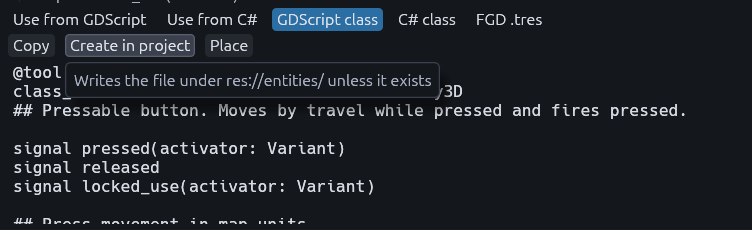
For a quick start, open the Reference panel and pick a class close to yours. On the GDScript class tab,
Create in project writes that skeleton under res://entities/.
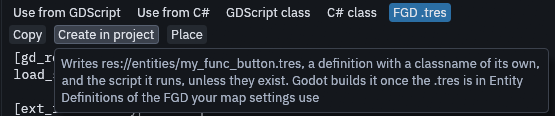
On the FGD .tres tab, Create in project writes a definition and the script it runs, both named after the class
with my_ in front, so func_button gives res://entities/my_func_button.tres and my_func_button.gd. Add the
.tres to Entity Definitions of your FGD, and Godot builds it.
Calling I/O from code
Game code can use the same machinery as a map connection:
for door in TrenchDotIO.find_targets(self, "main_door", null):
    TrenchDotIO.invoke(door, &"open", "", null)

TrenchDotIO.fire_output(self, &"tripped", activator)
Prefer invoke over calling the method directly, it fits the parameter to the arguments like a map connection does
and handles the built-in inputs. fire_output fires every connection on that output by hand, useful when the entity
has no signal of that name.