Overlays
Every build replaces what the map generated, so anything you add by hand under the map node is gone on the next save. An overlay is where Godot content goes that belongs on the map and has to survive every rebuild: a vending machine with its own script, a particle effect tuned in Godot, a lamp with an AnimationPlayer.
Adding one
-
Add the overlay node
In Godot, add a
TrenchDotOverlaynode as a direct child of theFuncGodotMap. -
Put your nodes under it
Builds, live mode and hot reload never touch it, so its nodes keep their state and signal connections and are saved with your scene.
(For a single node you can skip the overlay: a direct child of the map in the trenchdot_keep group survives builds
too. An overlay somewhere else in the scene can point at its map with Map Path instead, and then follows the map's
transform.)
Overlay content uses the map's local space in meters. At 32 units per meter, a child at (2, 0, -3) sits where
TrenchDot shows (64, 0, -96).
An overlay in its own scene
An overlay can also be a scene of its own. That pays off when several scenes use the same map and should share the overlay, when one person works on the level scene and another on the overlay, or when a script generates the level scene, as in the demo.
- Make a scene whose root is a
TrenchDotOverlay. - Drag the
.tscnonto theFuncGodotMapnode, so it is instanced as a direct child of the map.
Godot shows an instanced scene as a single node with no arrow to expand it. To get at its content:
| You want to | Do this |
|---|---|
| Edit the overlay everywhere it is used | Click the Open in Editor icon next to the node in the Scene dock, or double click the .tscn in the FileSystem dock |
| See or change its nodes in this scene only | Right click the node and turn on Editable Children |
Opened on its own, the overlay scene shows a warning on its root because it is not under a map. That is expected. The dashed boxes in TrenchDot catch up the next time the scene with the map is built or saved, since only there does the overlay know its map.
Wiring overlays
Overlay nodes and map entities can trigger each other through the same outputs and inputs that map entities use among themselves.
| You want | Do this |
|---|---|
| A map output to reach an overlay node | Give the node a TrenchDotOverlayIO child and set its Targetname |
| An overlay node to fire at map entities | Add a TrenchDotOutput child, pick the signal in Output and fill in target, input and parameter |
| Content to ride on a moving entity | Put it under a TrenchDotAnchor with Target set to the entity's targetname |
An input sent to a TrenchDotOverlayIO calls the node's method of that name, sets its property of that name, or
runs show, hide or toggle. So nodes without a script work too: input emitting with parameter true starts a
GPUParticles3D. Every input also emits input_received(input, parameter, activator).
A TrenchDotOutput listens to any signal of its parent, so an Area3D fires on body_entered without code. For
your own events, add a signal to the parent's script and pick it:
extends StaticBody3D

signal flipped_on(activator: Node)
signal flipped_off(activator: Node)

var on := false

func use(activator: Node = null) -> void:
    on = not on
    if on:
        flipped_on.emit(activator)
    else:
        flipped_off.emit(activator)
An anchor keeps the offset where you placed it and follows the entity through rebuilds, live edits and movement, so a warning sign goes up with its roller door.
Warning
Wiring survives rebuilds, state does not. Map entities come back in their starting state, so connect to
the overlay's map_rebuilt(map) signal and push your state back, for example switch the lamps on again.
See it in the demo
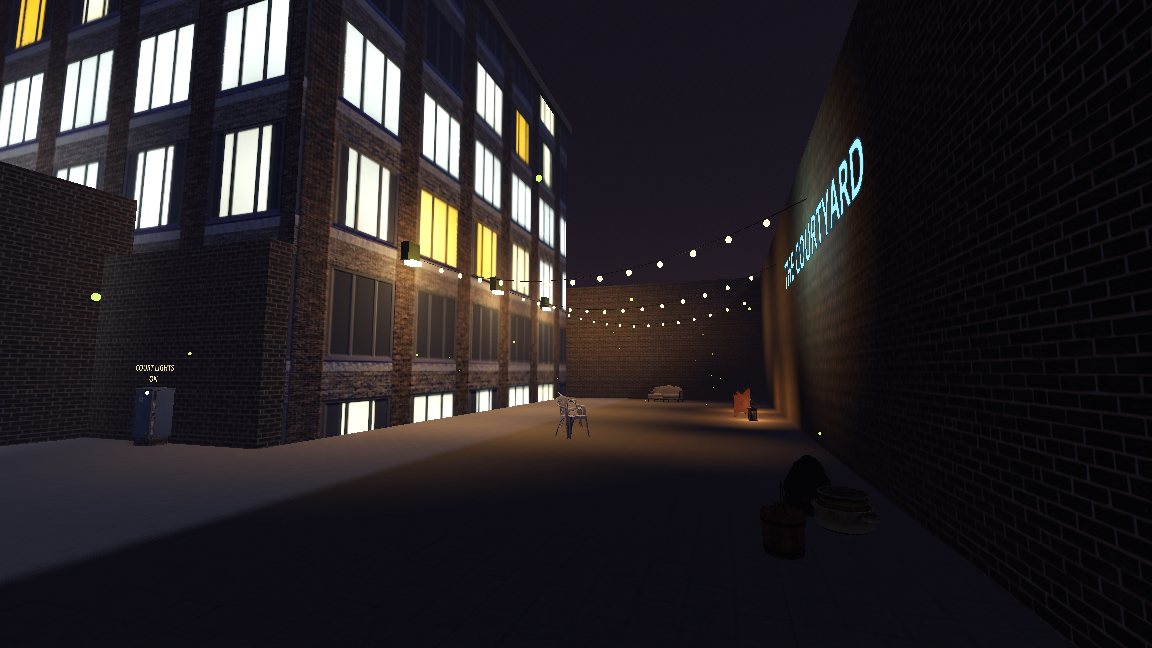
The demo project's night district has all of this. Its scene res://demo/showcase/night_district.scn instances the
overlay scene res://demo/overlays/night_district_overlay.tscn under its map, because a script rebuilds the showcase
scenes. Open the overlay scene and you will find a breaker box that switches the courtyard lamps, string lights that a
map trigger turns on, and a sign riding the garage roller door.